How to install MyAgens on macOS
MyAgens runs natively on macOS. The installer handles dependencies for you, so a single command in Terminal is enough.
Requirements
- macOS 14 (Sonoma) or newer.
- Terminal (already on your Mac, under Applications, Utilities).
- An administrator account, so the installer can set things up.
Install
Open Terminal (press ⌘ command + space, type Terminal, press ↩ return) and run:
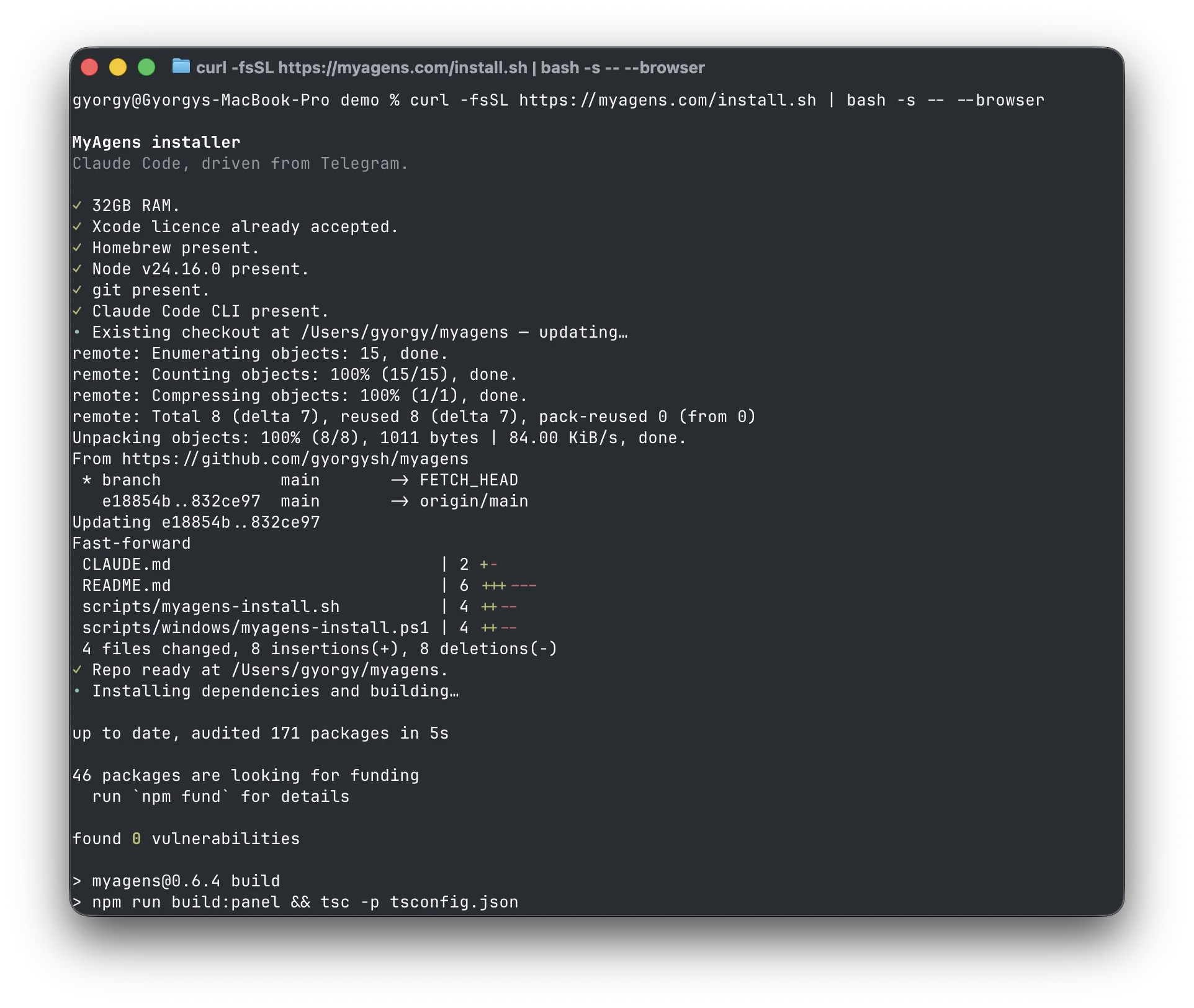
curl -fsSL https://myagens.com/install.sh | bash -s -- --browser
The terminal handles the dependencies and the download on its own, a few minutes, no questions:
Then a setup page opens in your browser where you create your Telegram bot with BotFather's Mini App, prove it's you (press START in the bot's chat and the page recognizes you), and connect Claude. Every value is checked live before it's saved. The full walkthrough is at myagens.com/install.
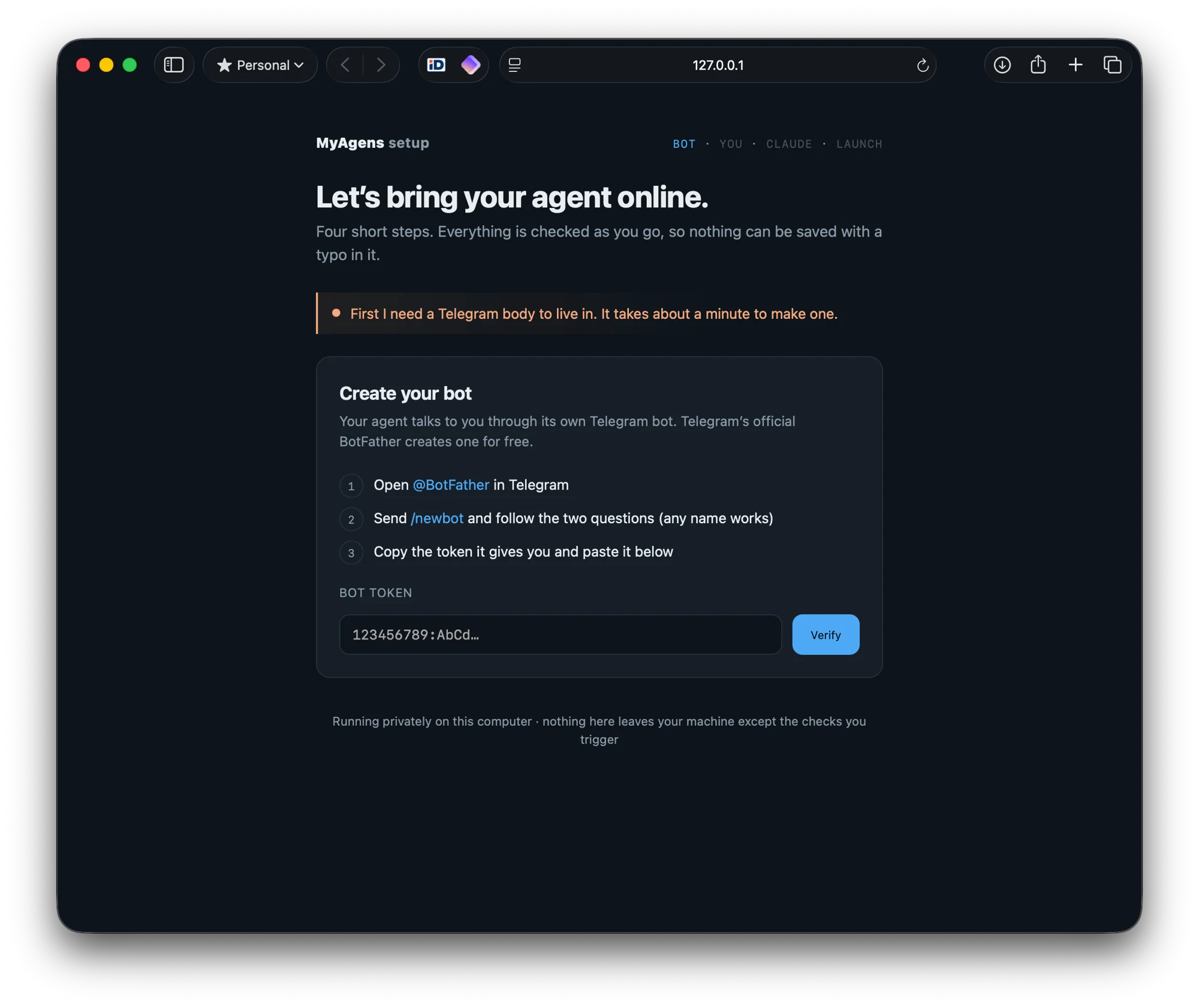
Prefer to stay in the terminal (or installing over SSH)? Drop the --browser flag and the same command runs the classic inline wizard instead.
After installing
The browser setup finishes signed in to your panel, and your agent messages you on Telegram. If you used the terminal wizard instead, it prints the panel URL and a one-click login link at the end. Next: Set up MyAgens in five minutes.
Keep the Mac awake for your fleet
MyAgens only works while the Mac is on. A Mac left to itself sleeps, and a sleeping Mac cannot run your agents, take Telegram commands, or keep a schedule. If you are running MyAgens on a laptop or any Mac that would otherwise doze off, pair it with Keepresso, a free menu-bar app that keeps your Mac awake on your terms. Its AI Agent preset keeps the Mac up while agents like Claude are running, and its Remote Session (SSH) preset keeps it awake while you are connected. Keepresso keeps the lights on; MyAgens does the work.
Updating
Re-run the same command any time to update to the latest version. Your fleet, memory, and settings are kept.
Uninstalling
See How to uninstall MyAgens for a clean removal: one command to remove the service, then delete the files. If anything looks off during install, see MyAgens will not start.
Get MyAgens
Self-hosted and open source. Install it on macOS, Linux, or Windows, then command your fleet of AI agents from Telegram or Slack.
More in Installation